
Create Follow-Up Practice
Respond to learning needs by creating targeted follow-up practice from assignment results.
Generate Follow-Up Quiz
- Open an assignment with student submissions.
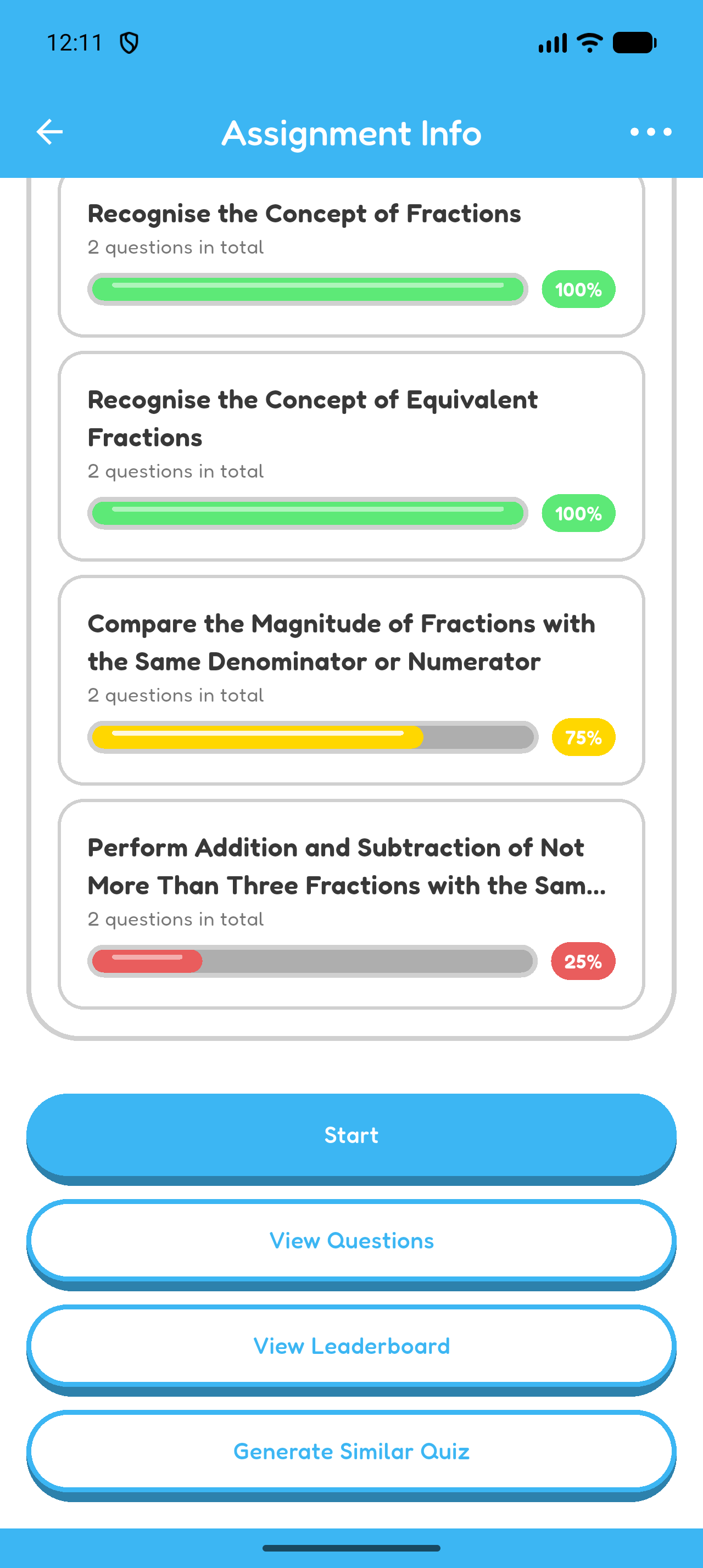
- Review the Learning Unit Statistics and identify where students need more practice.
- Select Generate Similar Quiz at the bottom of Assignment Info.
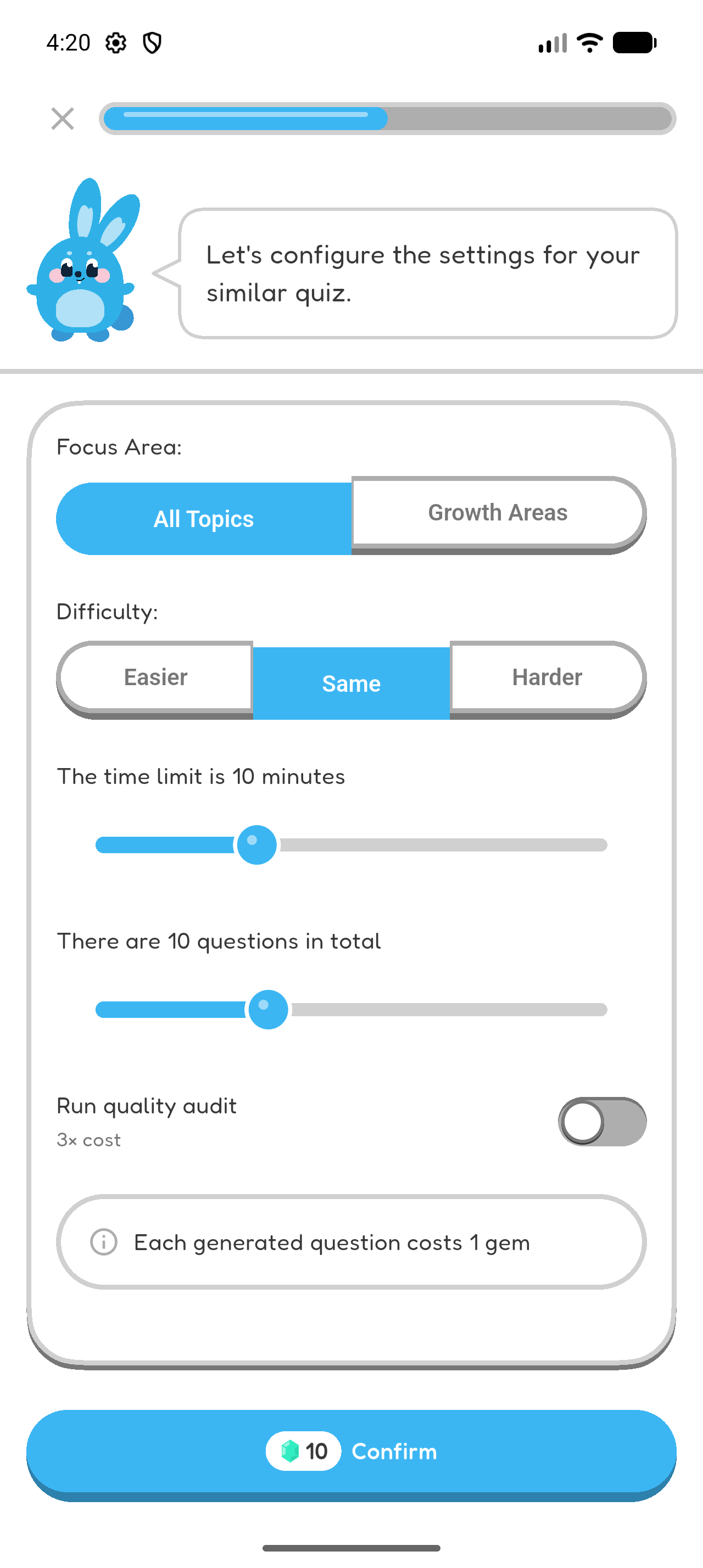
- Choose Growth Areas for targeted practice or All Topics for balanced review.
- Choose Easier, Same, or Harder.
- Set the number of questions and time limit.
- Select Confirm.
- Wait for generation to finish. Hoppy opens the new quiz automatically.
Assign Follow-Up Quiz
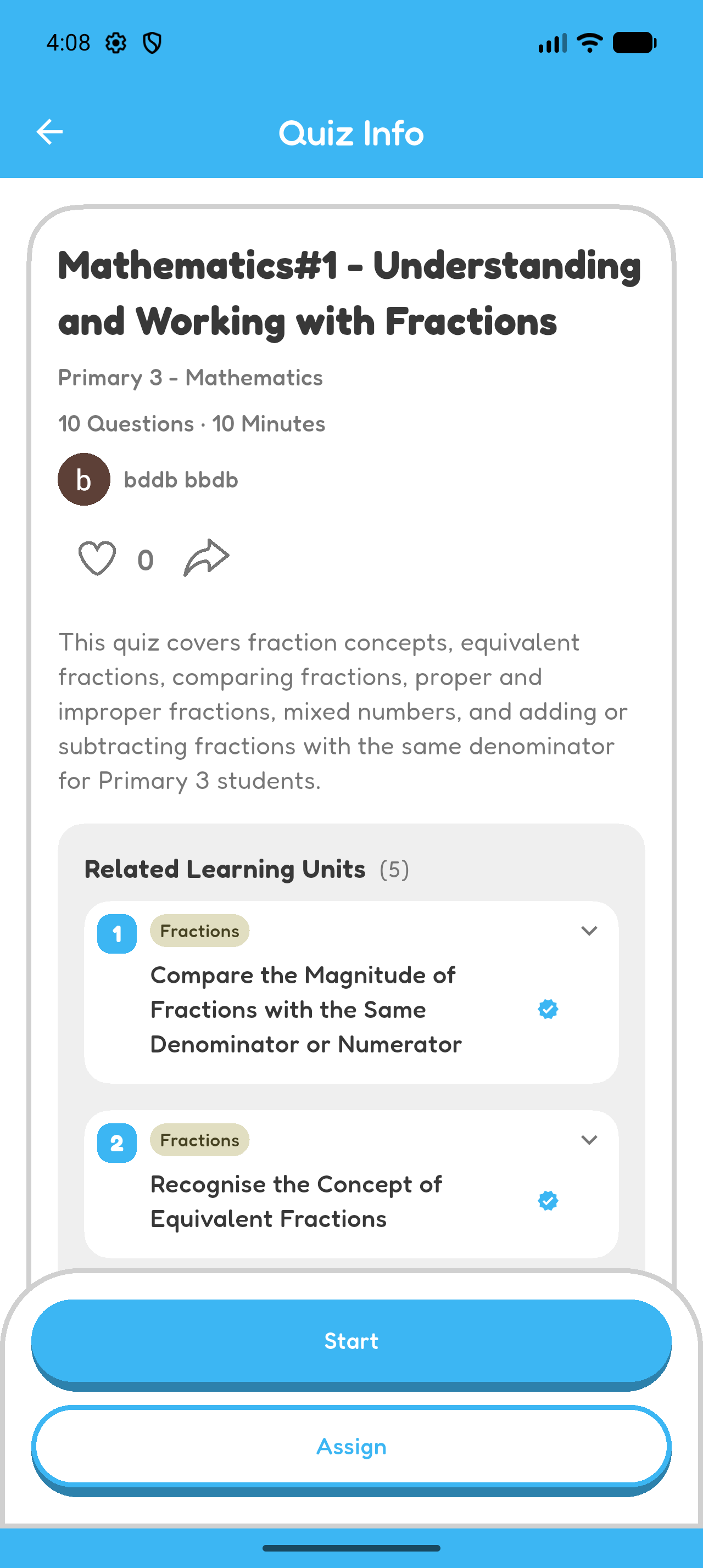
- Review the follow-up quiz and make any needed changes.
- Select Assign.
- Choose the same classroom.
- Set the publication and due times, then create the assignment.
For a refresher on creating assignments, see Chapter 4.
Chapter 6 complete
Your follow-up practice is ready to assign.