Hoppy Student Guide

Chapter 6 of 8

Create Follow-Up Practice

Generate similar practice from your completed result and try it.

← Topic Outline
Chapter 6

Create Follow-Up Practice

Generate similar practice from your completed result and try it.

Generate a Similar Quiz from Your Result

  1. Open a completed assignment.
  2. Select Generate Similar Quiz.
  3. Choose the practice focus, difficulty, number of questions, and time limit.
  4. Select Confirm.
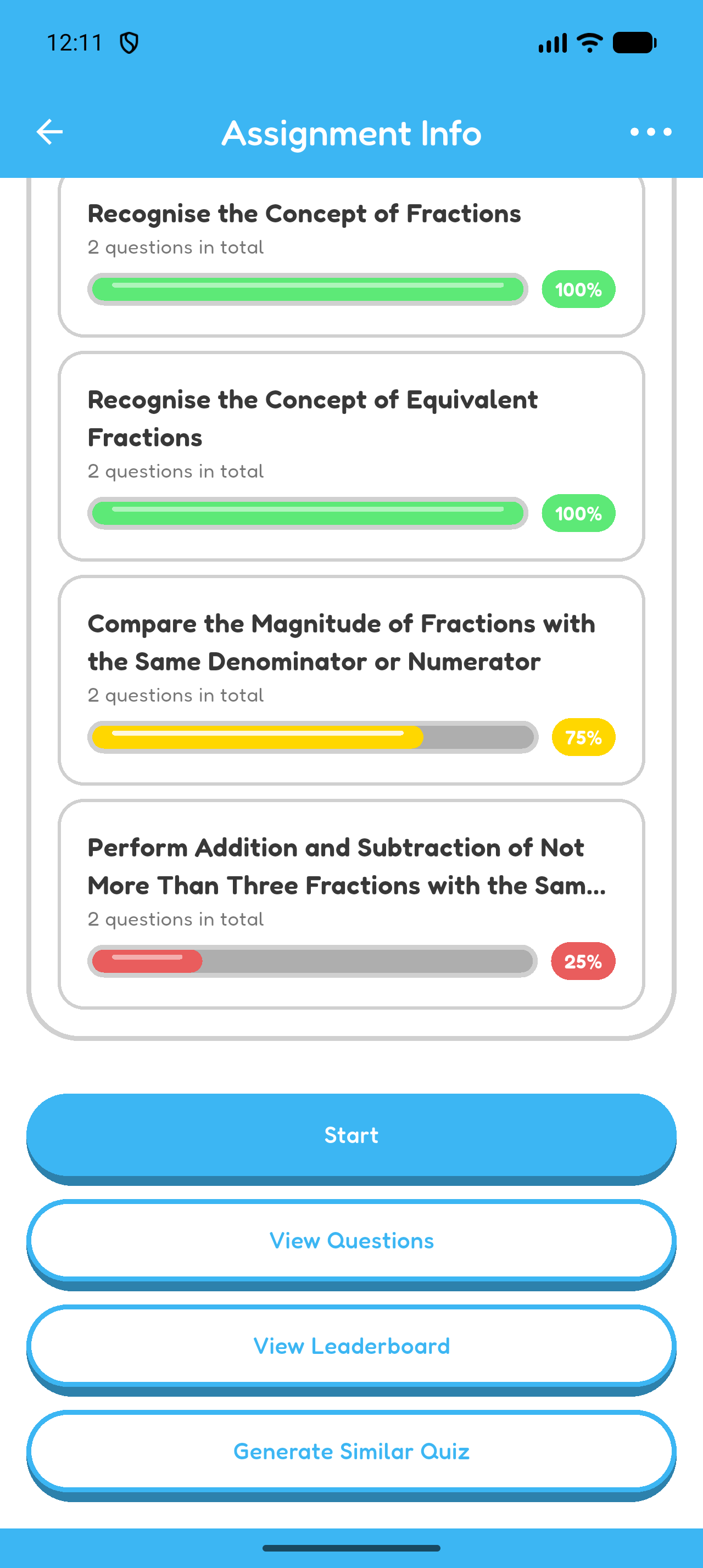
Assignment Info showing learning-unit results and the follow-up quiz button.
Review the learning-unit results, then select the follow-up quiz button.
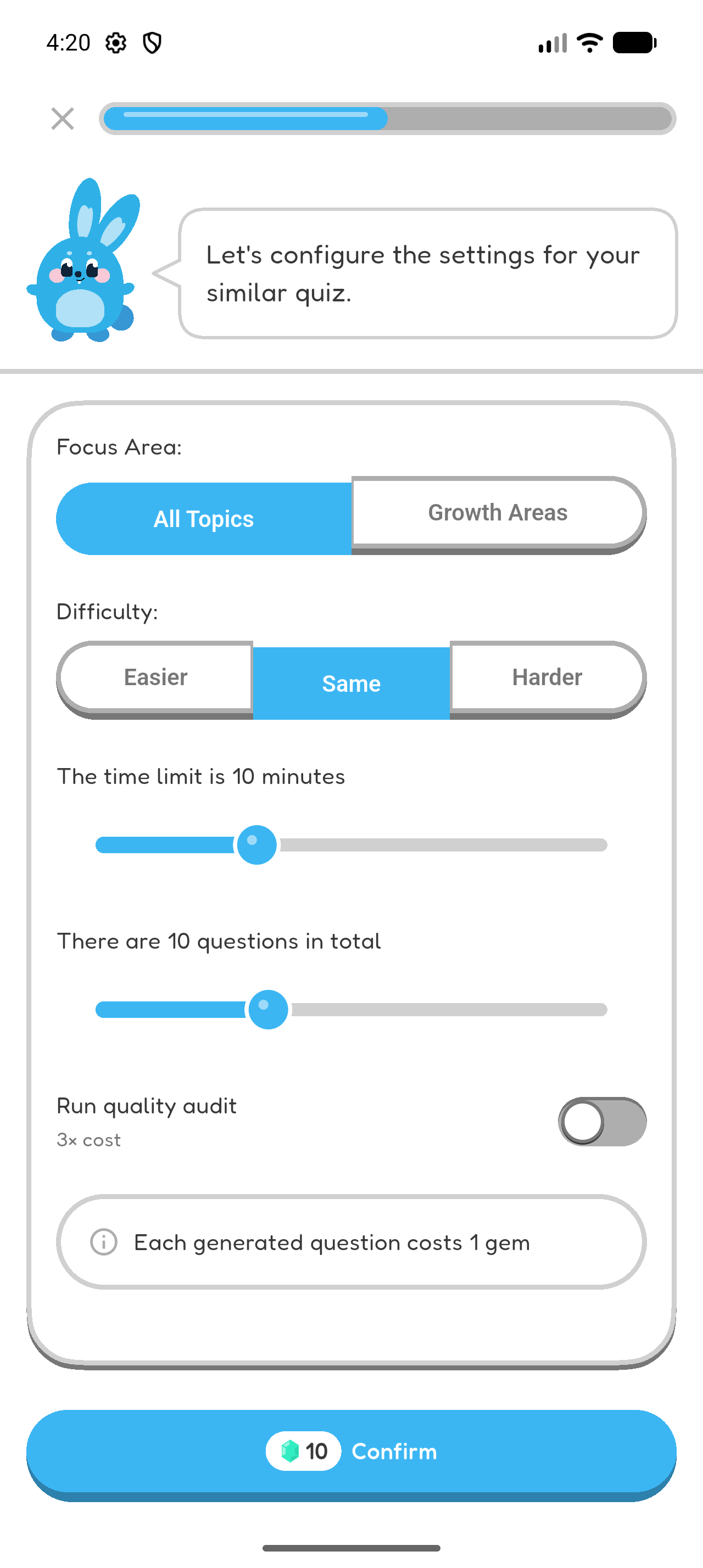
Follow-up quiz setup with focus area, difficulty, time limit, number of questions, and Confirm.
Choose the focus and difficulty, set the duration and question count, then select Confirm.

Complete the Similar Quiz

  1. Open the generated quiz.
  2. Complete the questions and read the explanations.
  3. Review the new result and compare what improved.
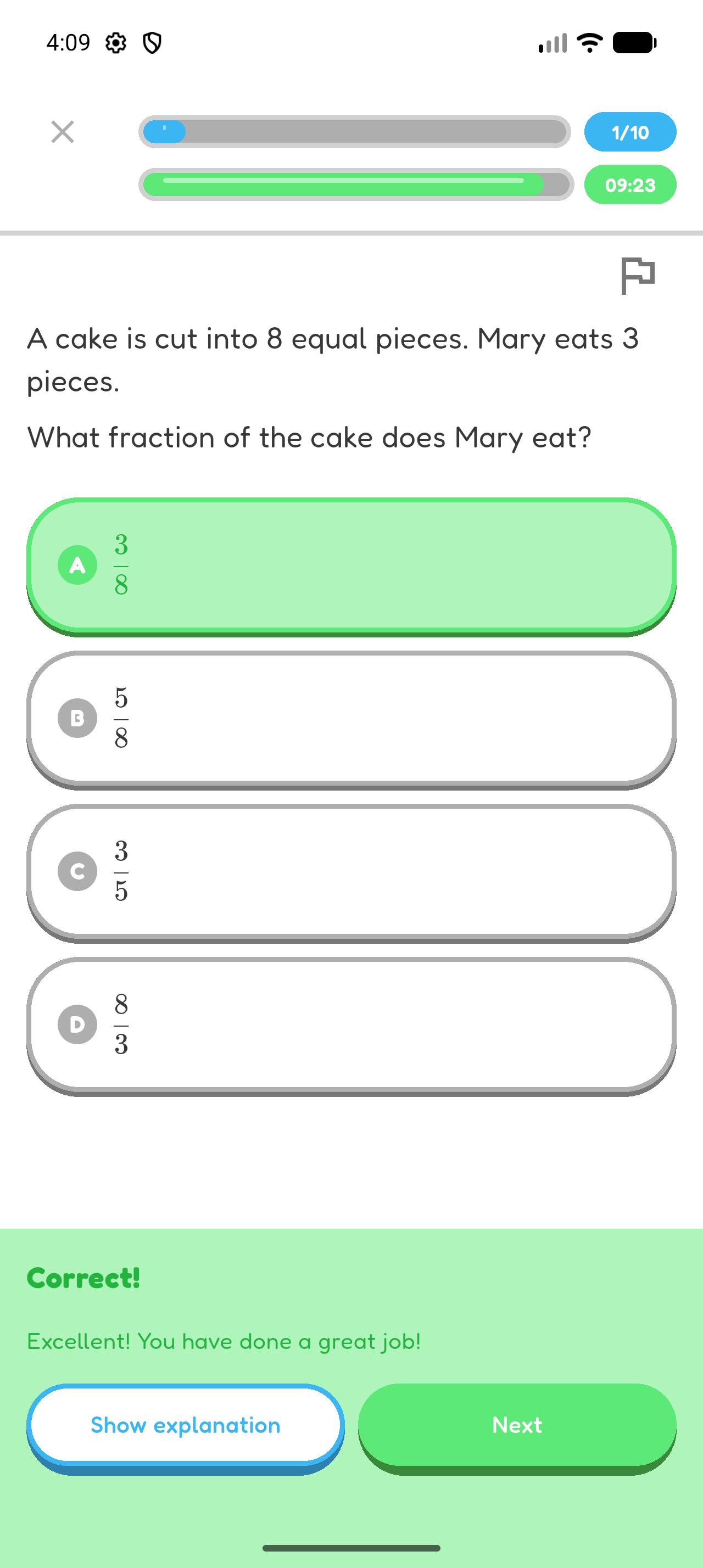
Hoppy answer feedback showing a correct answer, Show explanation, and Next.
Complete the generated quiz in the same way as your other Hoppy quizzes.
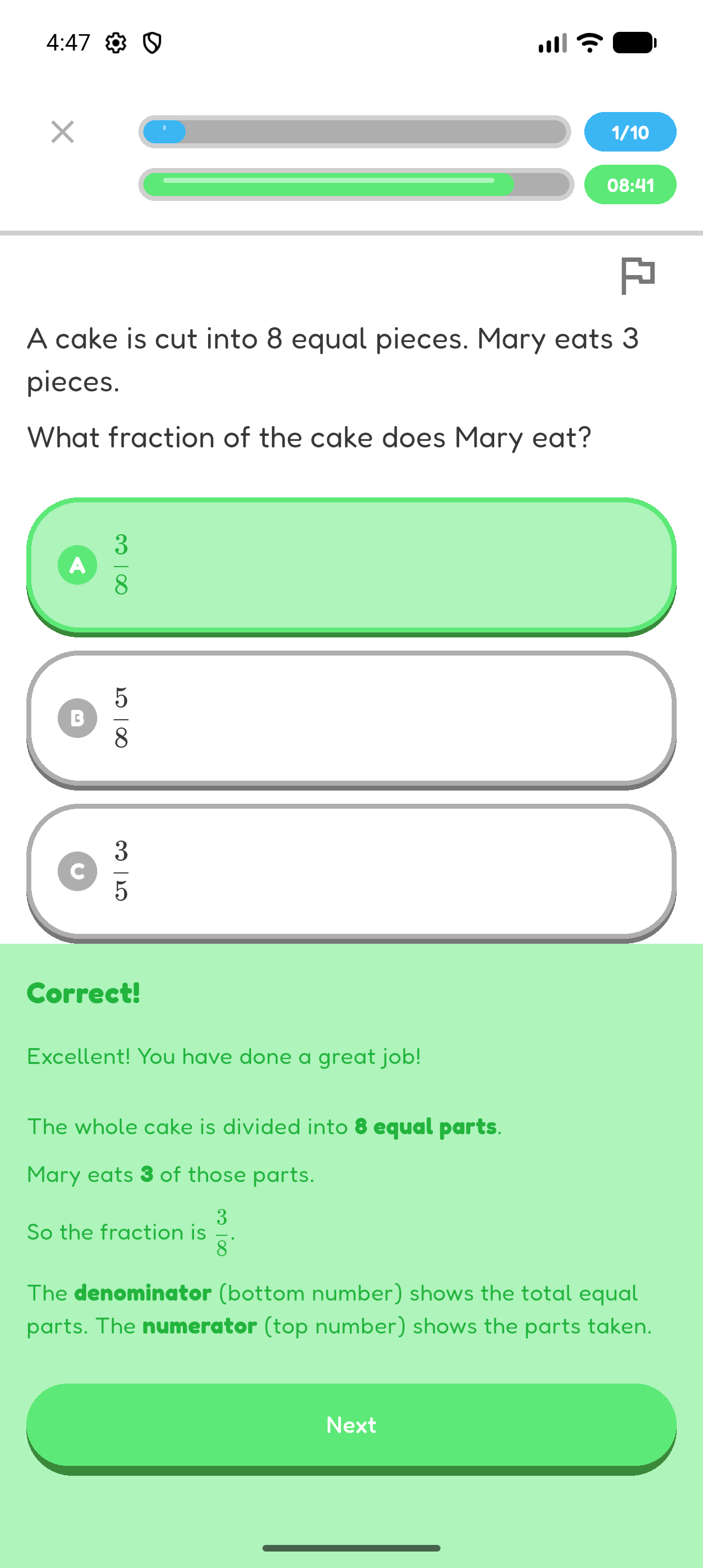
Hoppy answer feedback with the full explanation expanded below the correct answer.
Review the result and explanations to see what improved.
Chapter 6 complete

You completed follow-up practice based on your own result.