
Complete an Assignment and Review Your Result
Finish classroom work, check its status, and review your own result.
Check the Publication and Due Times
- The publication time tells you when the assignment becomes available.
- The due time tells you when the assignment should be completed.
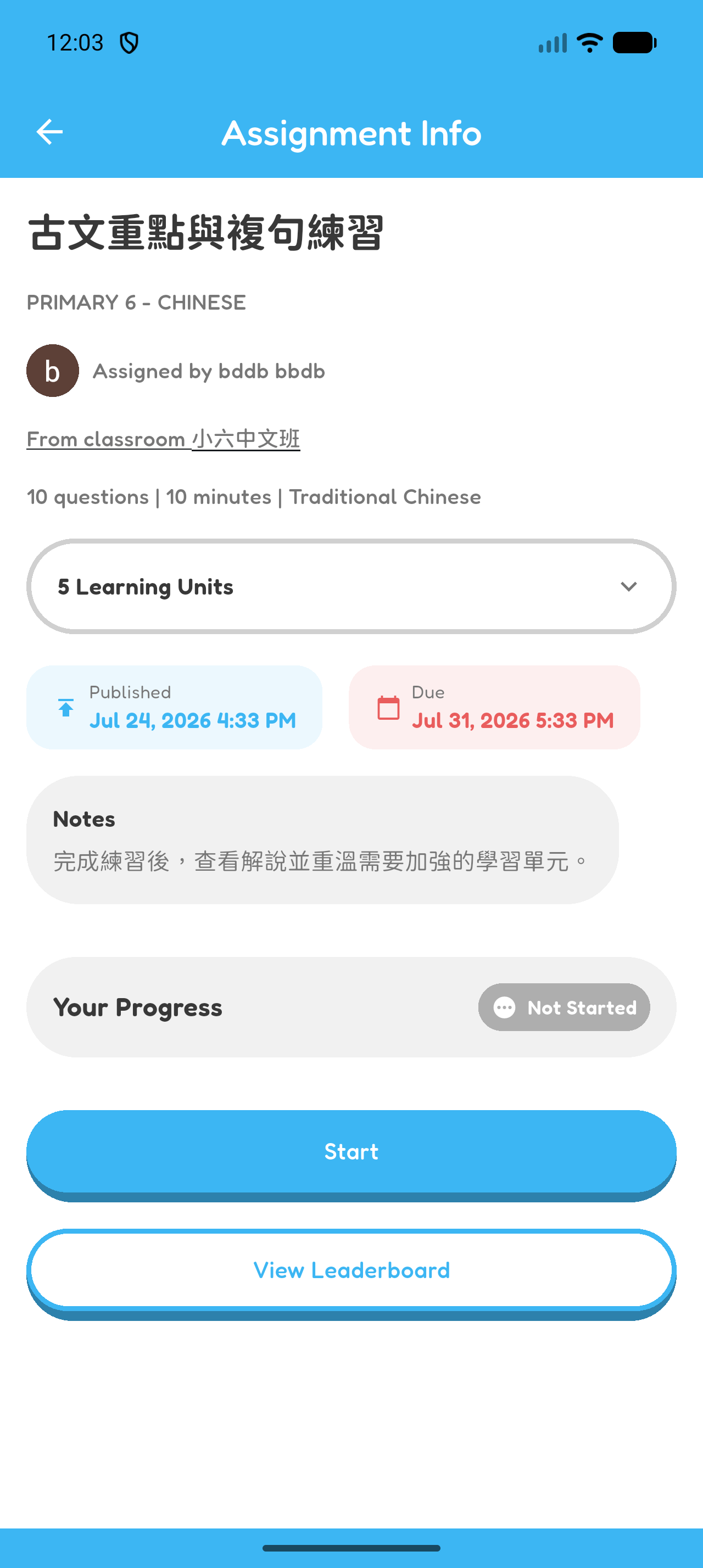
Start the Assignment
- Open the assignment after its publication time.
- Read the title and any notes from your teacher.
- Select Start.
Complete and Submit the Assignment
- Answer each question and read the feedback.
- Select Finish Quiz after the last question.
- Follow the result screens to finish the attempt.
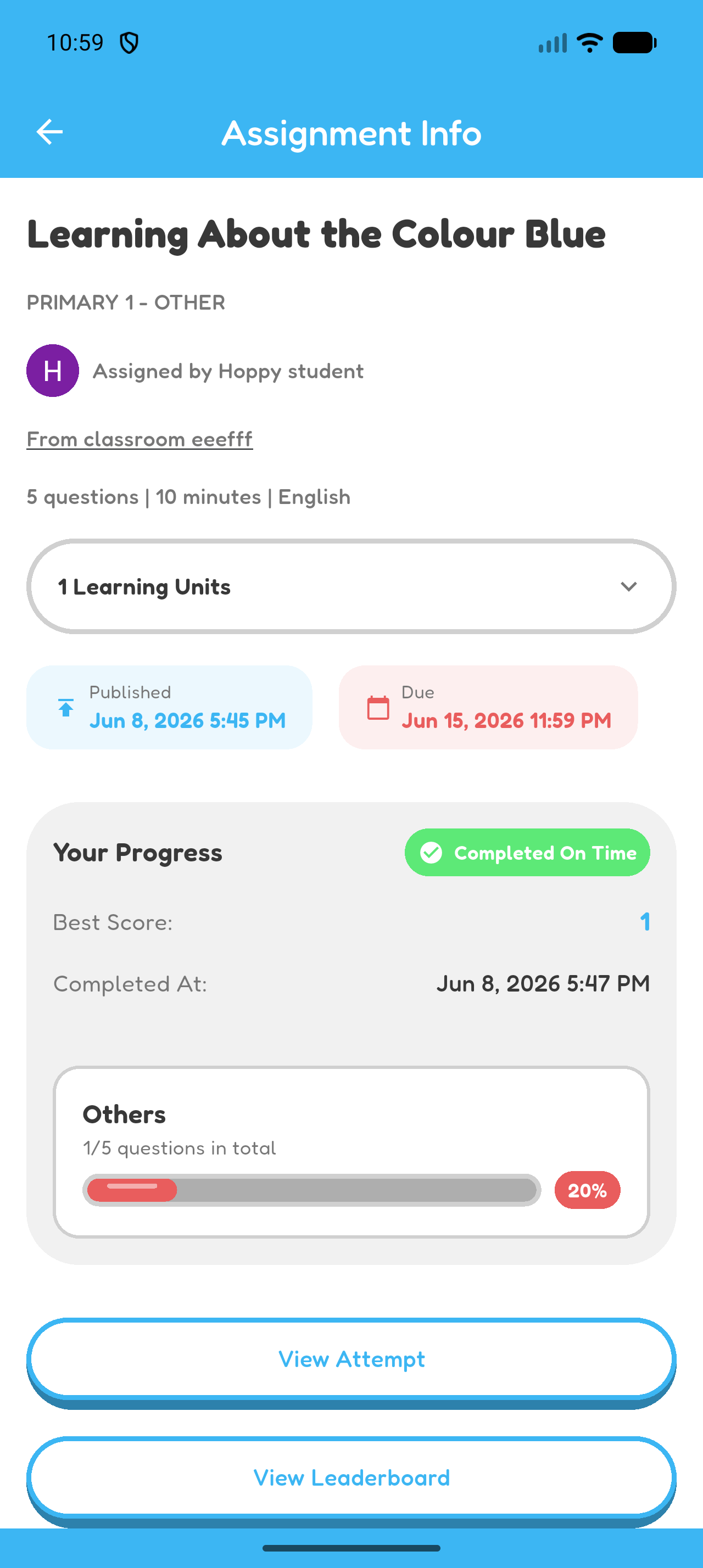
Review Your Attempt and Learning-Unit Results
- Open the completed assignment.
- Review your score and completion information.
- Open View Attempt to review your answers.
- Check the learning-unit results when they are available.
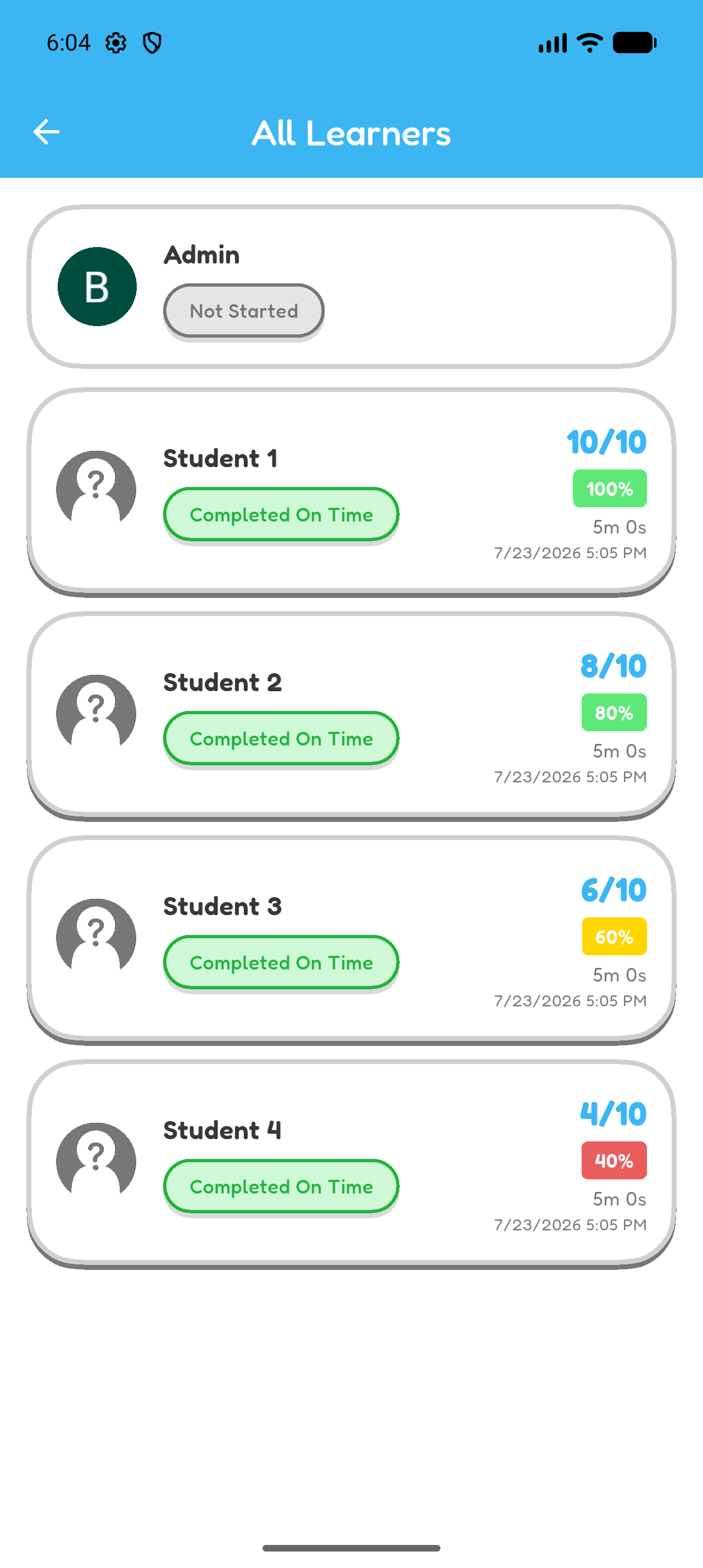
Check Your Assignment Status
- Not Started means the assignment has not been completed.
- Completed On Time means it was completed by the due time.
- Completed Late means it was completed after the due time.
- Overdue means the due time has passed and it has not been completed.
Chapter 5 complete
You completed an assignment and reviewed your result.