
Solve Common Problems and Get Help
Check common quiz, classroom, and assignment problems before contacting support.
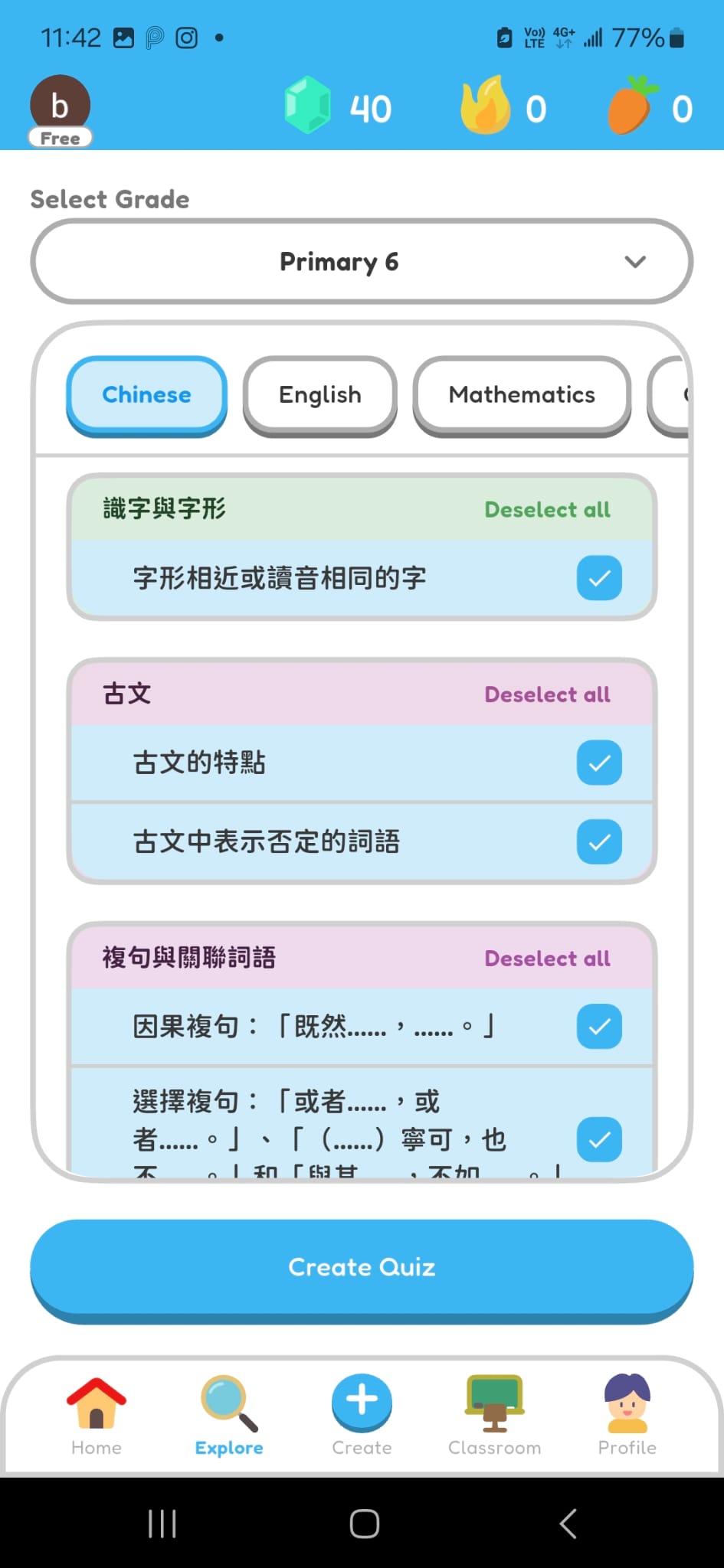
Cannot Find a Subject or Learning Unit
- Check the selected grade level.
- Check the selected subject and browse its learning units.
- Ask your teacher which grade, subject, or learning unit to use.
Cannot See an Assignment
- Check that you joined the classroom from your teacher.
- Check whether the assignment publication time has arrived.
- Refresh the classroom assignments list.
Cannot Open or Finish a Quiz
- Check your internet connection and try again.
- Close and reopen the quiz.
- Ask your teacher whether the assignment is still available.
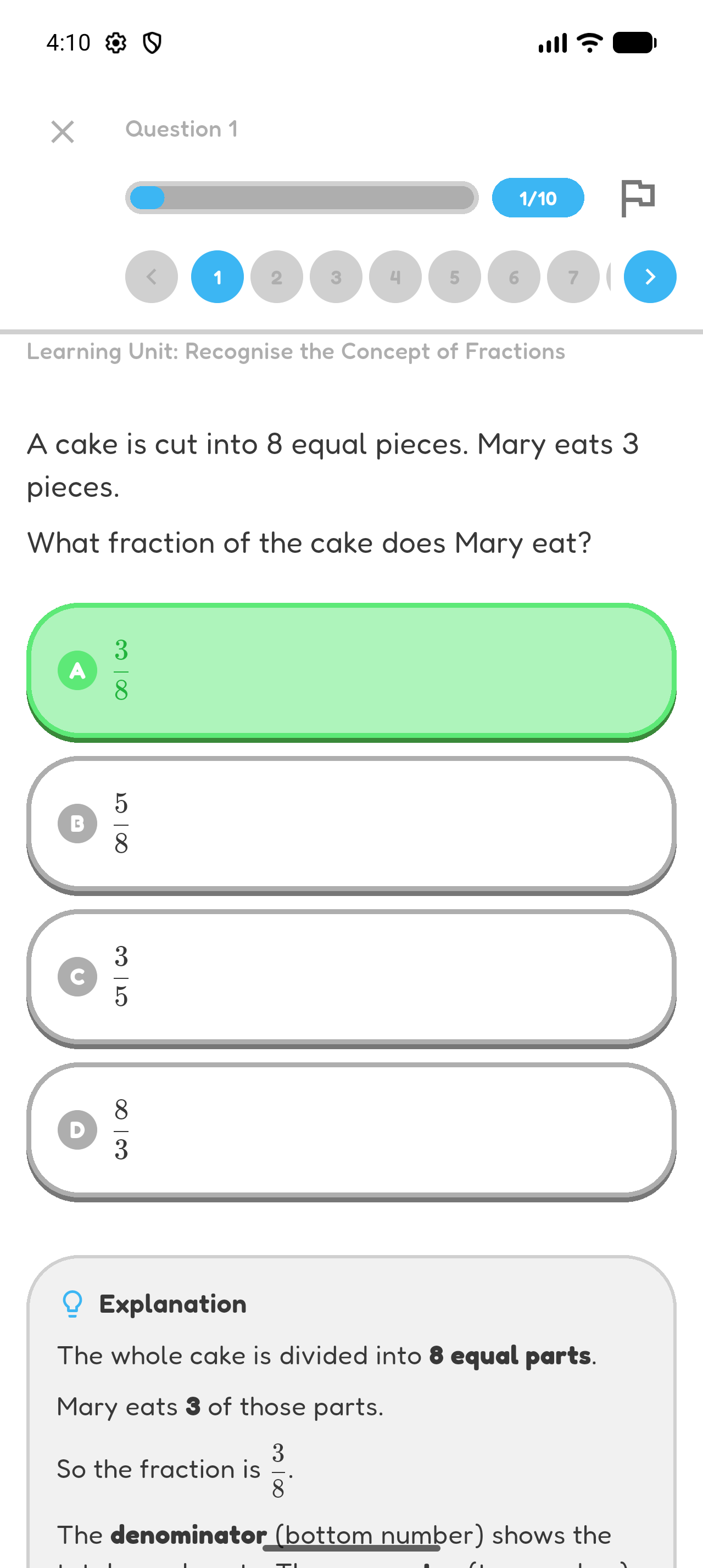
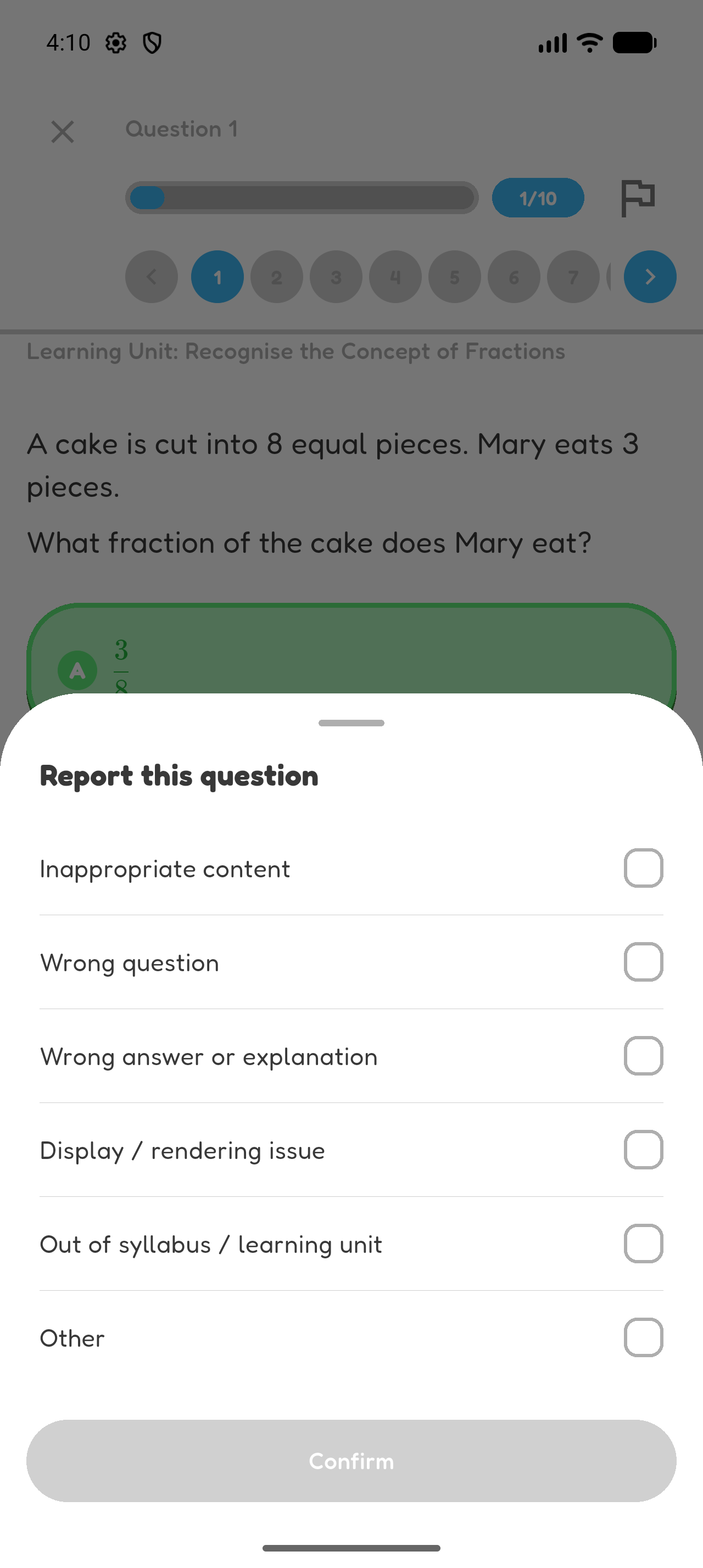
Report a Problem with a Question
Open the question, select Report, choose the reason, and submit the report.
Contact Hoppy Support
For more answers, open Hoppy FAQ. If an access or technical problem continues, email hi@hoppy.day.
Chapter 8 complete
You know where to begin when something does not work.